Gabb Z2 Review
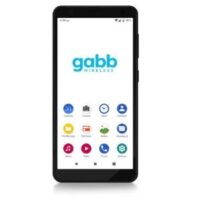


The $99 Gabb Z2 phone offers kids a safe introduction to smartphones without exposing them to social media or the internet at large. But the Gabb phone lacks a few features like geofencing or contact monitoring, and there’s no way to download parental control software to fill in the gaps.
If those features don’t top your list of concerns, you’ll like the Gabb Z2’s low price, quality display, decent battery life, and balance of fun and function for ages 8 to 12.
 No internet and no app store GPS tracking and geofencing Unlimited talk and text Good battery life microSD card compatible
 Incompatible with other parental controls Pricey service No screen time management No text monitoring
|
Price
|
Learn More
|
|
|---|---|---|
| Gabb Plan | $19.99/mo. | View on Gabb Wireless |
| Gabb Plus Plan | $24.99/mo. | View on Gabb Wireless |
Info current as of post date. Offers and availability may vary by location and are subject to change.
No internet or app store on the Gabb Z2 phone
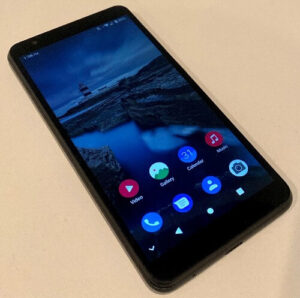
Image: Suzi Brzezinski, SafeWise
The Gabb Z2 looks and acts like a smartphone, but there’s zero internet access. That means no app store, no social media apps, no YouTube, no inappropriate Google searches, no predators, and none of the umpteen dangerous apps and sites you’ve never even heard of.

Note that the Gabb Z2 can connect to Wi-Fi to make phone calls when there’s no cellular connection. It’s still a safe phone for kids, since an active Wi-Fi connection isn’t the same as internet access. It’s like having a car but no car keys.
Music player and two cameras
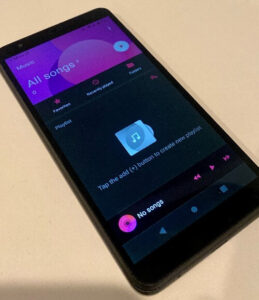
Image: Suzi Brzezinski, SafeWise
With no internet and no games, the Gabb Z2 probably sounds boring to your kid. That’s kind of the point because it helps limit screen time.
But the Z2 isn’t totally sterile. It features front and back cameras, a photo and video editor, a music player, and a radio.
Music files must be transferred to the phone through a computer, so it’s not easy for kids to listen to any song on the planet. But it’s not impossible either, since all they need is some unsupervised computer time. It’s smart to check their music library now and then.
The Z2 includes an audio jack but also pairs with Bluetooth headphones.
Limited parental controls
Screenshot: Suzi Brzezinski, SafeWise
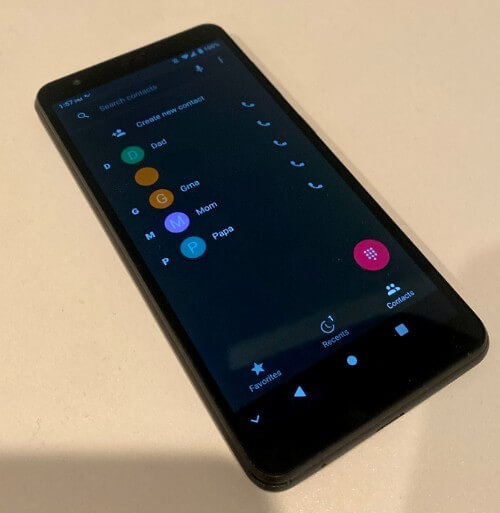
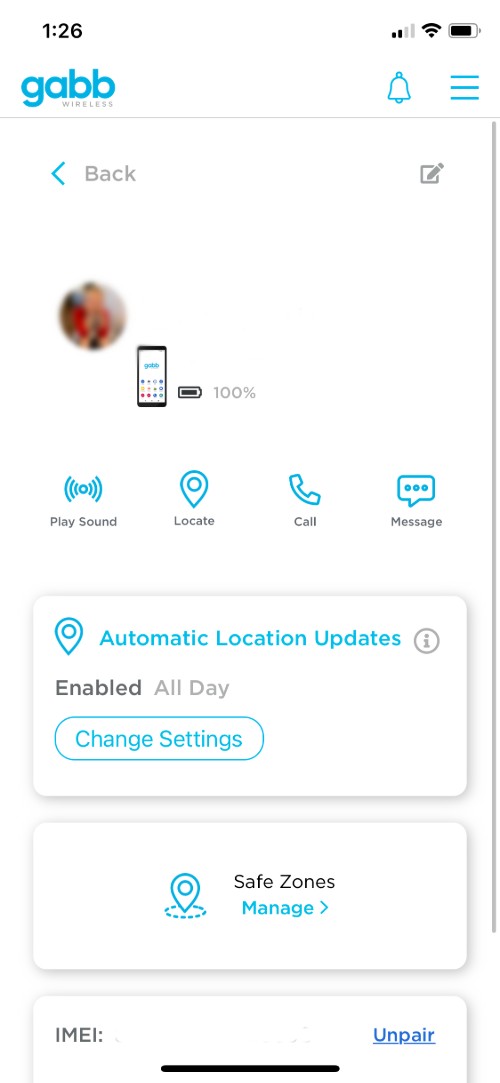
The Gabb Z2’s lack of internet means you can’t download a parental control app to monitor your kid’s phone usage. You can’t create screen time schedules, remotely turn off the phone, or control who gets to contact your kid (and vice versa).
If you want these features with an internet-free device, consider a kids smartwatch like the Gabb Watch. Otherwise, you’ll need to pair a parental control app (we really like Bark) with a fully functional smartphone.

The Z2 features a built-in spam filter for text messages, but we’re not sure which words trigger the filter. It also seems to screen texts only from numbers not saved as contacts.
Bark is a good option for text monitoring, but it doesn’t work with the Gabb Z2.
GPS tracking and geofencing
Screenshot: Suzi Brzezinski, SafeWise
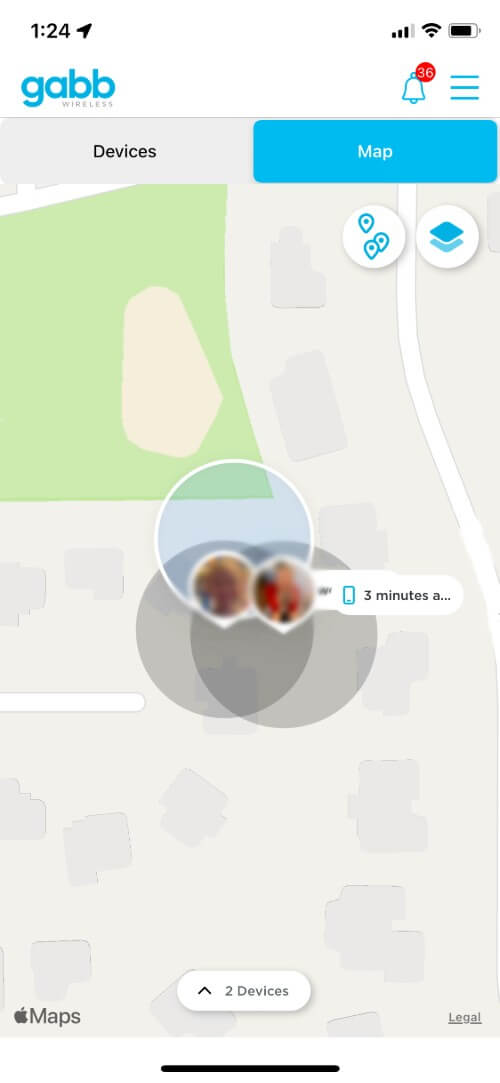
We’re impressed that Gabb Wireless built its own GPS tracking system to eliminate third-party privacy concerns. Parents use their own app called MyGabb to see the phone's real-time location.
"You can ping the Gabb phone to get their current location, or you can schedule automatic location updates," our tester said.
Yes, the Gabb Z2 has Safe Zones
The Gabb Wireless website gives some conflicting information about the Z2 phone's geofencing capabilities. Based on Gabb's own comparison charts, we previously noted that you couldn't set up Safe Zones for the Gabb phone.
Our tester Suzi says it's indeed possible to set up geofencing for the Gabb phone, but she couldn't control the size of the safe zone.
One mom's thoughts on the Gabb Z2 phone
Mom Suzi tested the Gabb Z2 phone with her kids, ages 5 and 8. She described it as a "pretty basic phone" that takes "OK-quality photos."
"It's the size of a normal phone, so it's not convenient to carry around," Suzi said, noting that both of her kids eventually preferred the Gabb Watch after the Z2's novelty wore off.
That said, the phone had a better battery life than the watch.
Gabb Z1 vs. Z2
If your kid has the older Gabb Z1, it’s worth upgrading to the Z2. Here are the major improvements released with the latest version of the Gabb phone:
- Fingerprint reader
- Bluetooth compatibility
- Radio
- Music player
- Twice as much storage (32 GB vs. 16 GB)
- Improved battery life (2,650 mAh vs. 2,200 mAh)
- Slightly larger and clearer display (5.45 inches vs. 5 inches; 720p vs. 480p; 196 ppi vs. 295 ppi)
- Different processor (2.00 gHz MediaTek Helio vs. 1.10 gHz Qualcomm Snapdragon)
Gabb Z2 vs. other kids phones
|
Product
|
Phone price
|
Service price
|
Integrated parental controls
|
Internet access
|
Social media
|
Learn more
|
|
|---|---|---|---|---|---|---|---|
| Best overall |
Gabb Z2 |
$99.99 |
$19.99/mo. |
 No No |
No |
No |
View on Gabb |
| Best kids smartphone |
 Palm Phone |
$349.00 |
Depends on carrier |
No |
 Yes Yes |
Yes |
View on Amazon |
| Best for budgets |
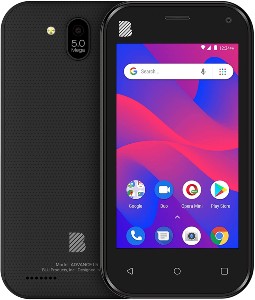 BLU Advance L5 |
$39.99 |
Depends on carrier |
No |
Yes |
Yes |
View on Amazon |
| Best kids flip phone |
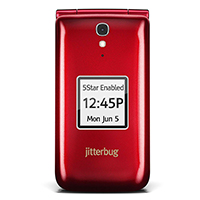 Jitterbug Flip2 |
$99.99 |
$19.99/mo. |
No |
No |
No |
View on Amazon |
| Best kids smartwatch |
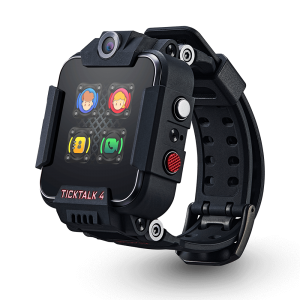 TickTalk 4 |
$199.99 |
$10.00/mo. |
Yes |
No |
No |
View on Amazon |
Info current as of post date. Offers and availability may vary by location and are subject to change.
Final word
Being ready for a cell phone isn’t the same as being ready for the internet. The Gabb Z2 is a great stepping stone between a too-basic flip phone and a too-chaotic smartphone.
If you’re not sure it fits your child’s needs, check out our roundup of other phones for kids.
Gabb Z2 FAQ
Yes, the Gabb Z2 can send pictures and videos via text but only with the Gabb Plus Plan.
Yes, the Gabb phone has GPS that’s monitored through the parent app MyGabb.
The Gabb Z2 is an internet- and app-free mobile phone for kids. Its bare-bones design is meant to decrease screen time and keep kids safe from online threats.
You have to purchase a Gabb Wireless plan to use the Z2. It does not work with other wireless carriers.
Yes, Gabb offers unlimited talk and text on both plans.
The Gabb phone connects to Wi-Fi for phone calls when there’s poor cell reception. There’s no web browser or any other way to access the internet from a Gabb phone.
You can add an unlimited number of contacts to a Gabb phone.
How we reviewed the Gabb Z2
For our Gabb Z2 review, we gave the phone to a mom and her two kids for hands-on testing. We also read the user manual and even got a copy of the original Z1 manual. We compared its features to similar products, like kids smartwatches and parental control apps, to determine the Z2’s contribution to the industry.
We also poked around on the Gabb Wireless website and YouTube channel. To learn more about how we review products, read the SafeWise methodology page.

Recent Articles



The post Gabb Z2 Review appeared first on SafeWise.
Article source here: Gabb Z2 Review

No comments:
Post a Comment